
Install CarSmarts
CarSmarts is free and open source, available on the Chrome Web Store and the App Store. Pick your browser below. Once installed, just visit carsales.com.au and start browsing — you're immediately contributing to the community data pool.
Chrome & Brave (desktop)
Works on Google Chrome and Brave on Windows, macOS, and Linux.
- Visit the Chrome Web Store and click “Add to Chrome” (the same button installs it in Brave).
- Click the puzzle-piece icon in your browser toolbar to see installed extensions, then click the pin icon next to CarSmarts to keep it visible.
- Visit carsales.com.au and start browsing!
Safari (macOS)
For Safari on your Mac.
- Download CarSmarts from the App Store on your Mac and open the app once.
- Open Safari > Settings > Extensions and tick the box to enable CarSmarts.
- When prompted, allow CarSmarts to access carsales.com.au.
- Visit carsales.com.au in Safari and start browsing!
Safari (iPhone & iPad)
For Safari on iOS and iPadOS.
- Download CarSmarts from the App Store on your iPhone or iPad.
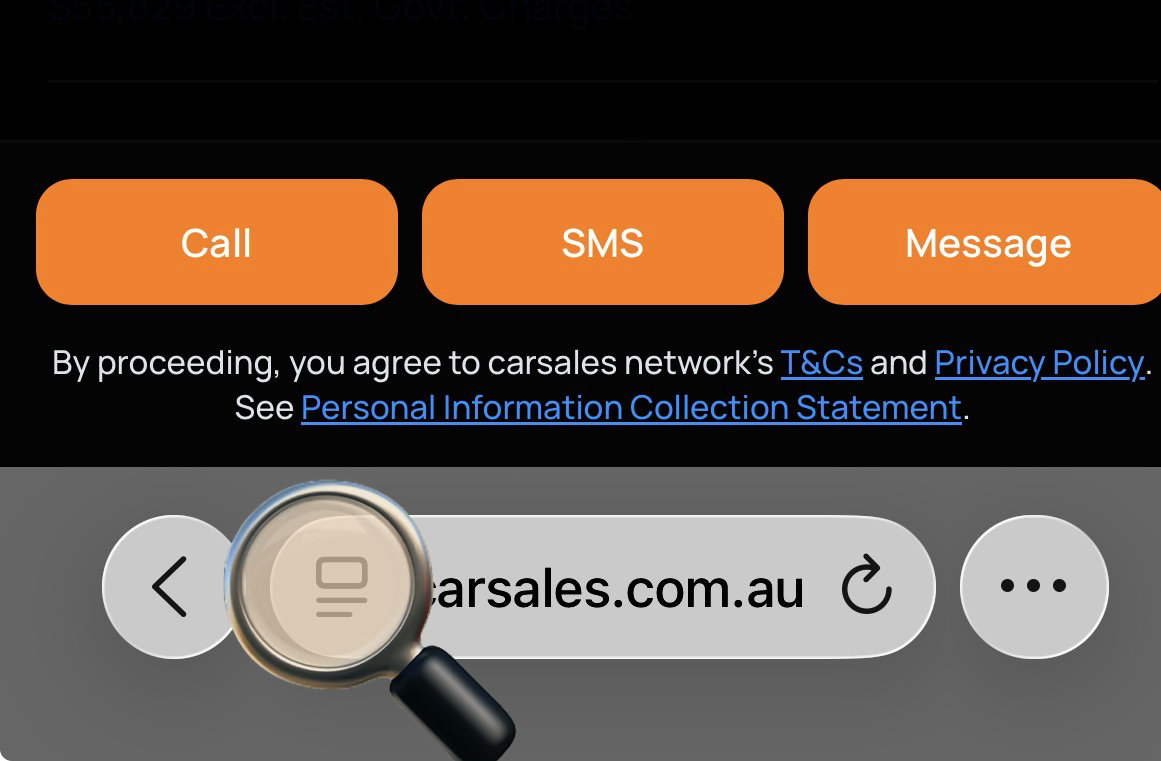
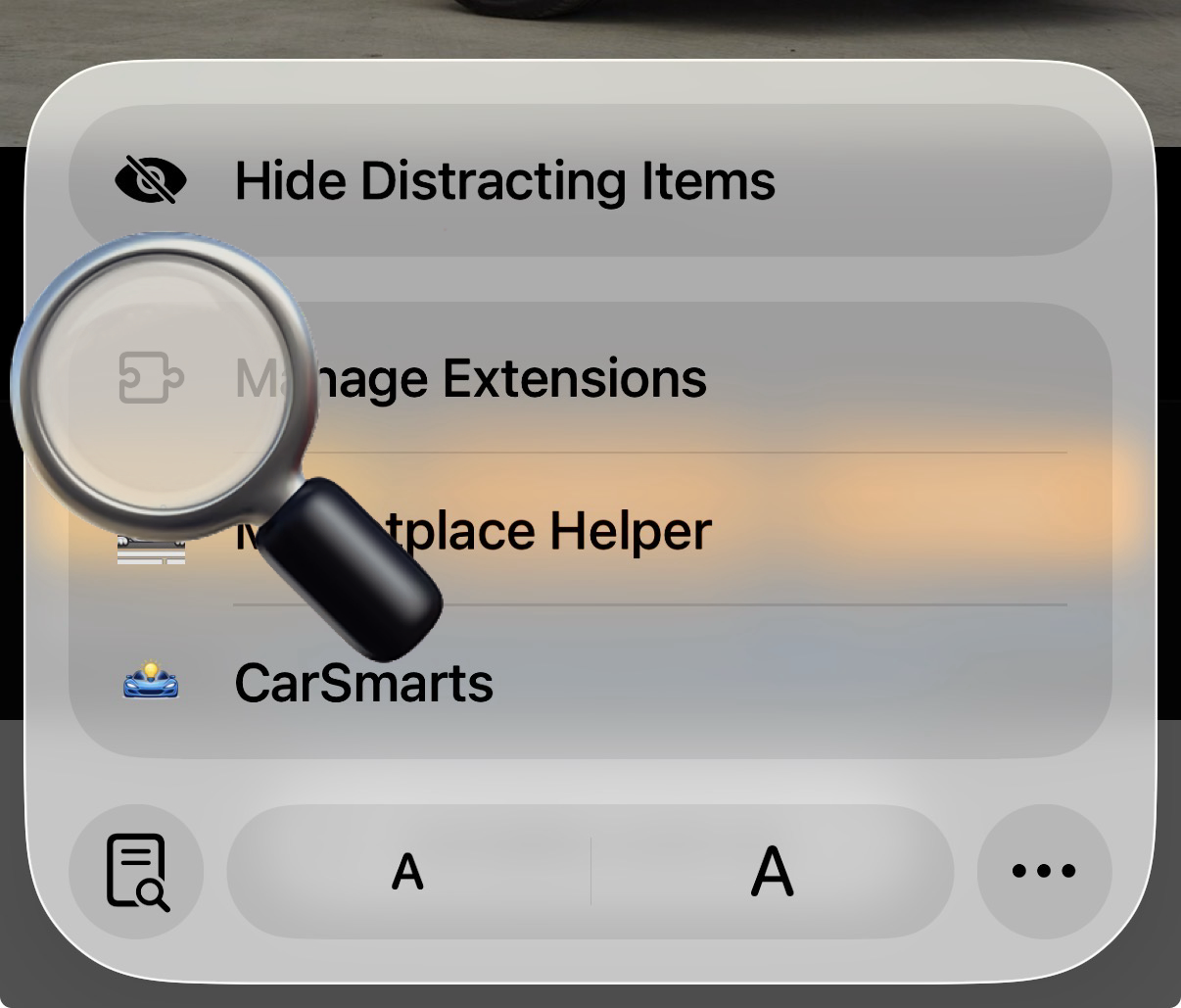
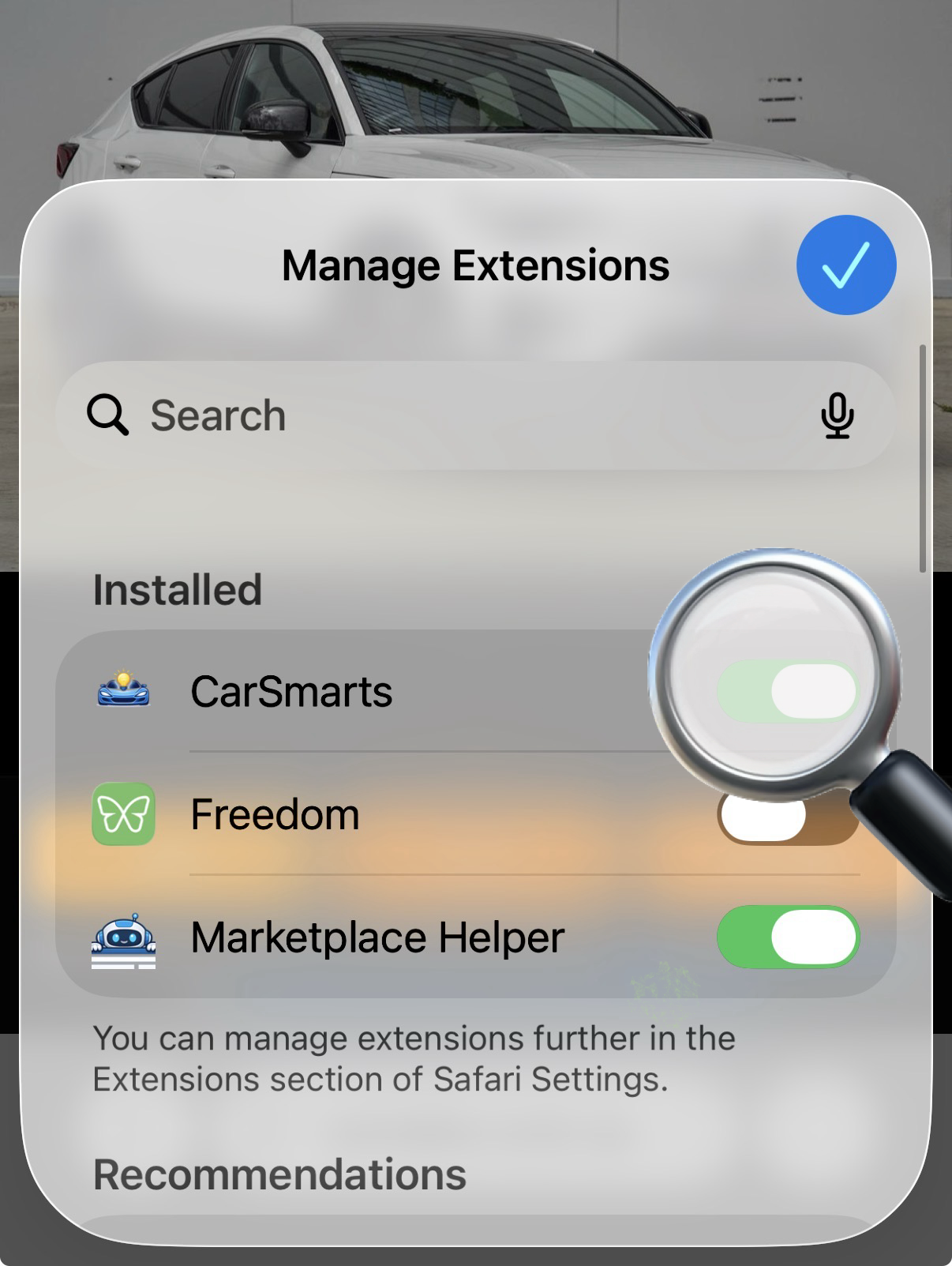
- Open Settings > Apps > Safari > Extensions and enable CarSmarts (see the pictures below).
- Allow CarSmarts to access carsales.com.au when prompted.
- Visit carsales.com.au in Safari and start browsing!
1
Find extension settings
2
Tap Manage Extensions
3
Enable the Extension
Trouble installing? Raise an issue on GitHub.